Free Poker Tournament Clock for Home Games
A poker tournament clock should be obvious from across the room. PokerPlanner gives hosts a free browser-based clock that can be used on a laptop, tablet, or TV display, with the blind level, countdown, next level, and tournament context visible at a glance.
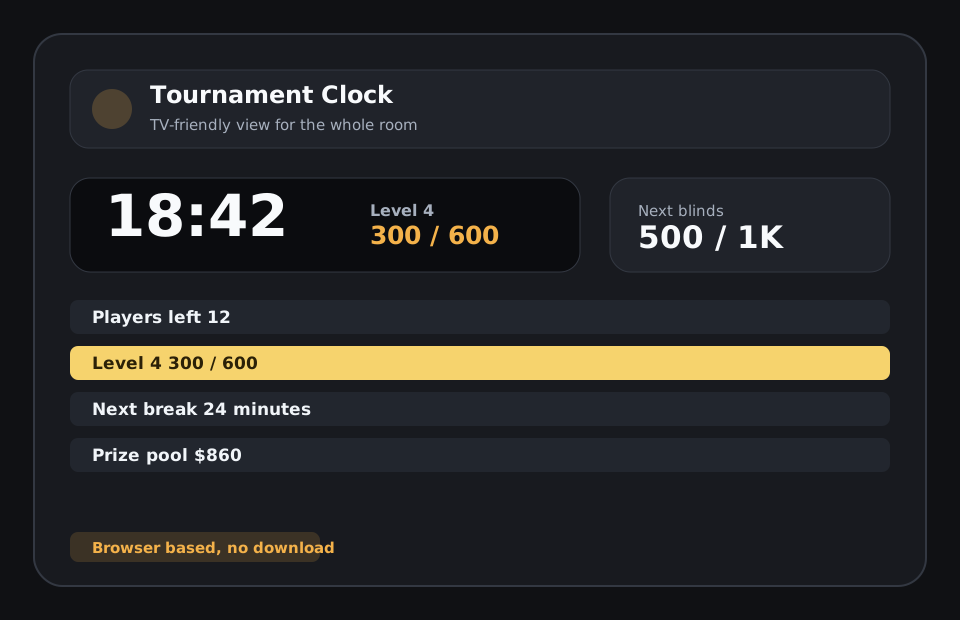
Built for the shared screen
The best tournament clock is not just for the host. It is for everyone at the table. When the clock is easy to read, players stop asking what the blinds are, how much time is left, and when the next level starts. PokerPlanner keeps the most important information large and centered, then surrounds it with useful details like structure, payouts, field size, and room status.
Control the flow of the night
Home tournaments often slow down because the host has too many small jobs. Someone needs to start the timer, pause for a ruling, handle a rebuy, announce a break, and answer questions about payouts. PokerPlanner puts the clock inside a broader tournament workflow so those actions can happen from the same place. The clock becomes the center of the night instead of another separate tab.
Useful for casual and recurring groups
For a one-night home game, you can build a structure and run the clock quickly. For a recurring group, saved structures and group tools help you repeat what works. The tournament clock can be paired with player registration, check-in, seating, and announcements, which makes the setup feel more consistent over time.
Browser-based and simple to share
Because PokerPlanner is web-based, you can open the TV clock on a device connected to the room display and keep host controls nearby on another screen. Players can also use phone-friendly links to see tournament information. The result feels more polished than a kitchen timer, but it stays approachable for casual poker nights.
Related poker tournament tools and guides
FAQ
Is PokerPlanner free to use?
All features are free during the beta and a free model will always be available. Hosts can create groups, build tournaments, run the clock, use the TV board, track players, and use the core planning tools.
Can I use it for a casual home poker game?
Yes. The tool is designed for home poker tournaments first, with simple setup for buy-ins, blinds, breaks, seats, rebuys, add-ons, payouts, and player check-in.
Does the poker timer work on a TV?
Yes. PokerPlanner includes a TV-friendly tournament clock that can be opened on a shared screen so players can see the current level, next blinds, and timer.
Do players need to download an app?
No. PokerPlanner runs in the browser. Players can use links or QR codes to view lobby information, check in, and follow tournament status without installing anything.
Can I put the tournament clock on a television?
Yes. PokerPlanner has a TV display built for shared screens with large timer text and visible blind information.