Poker Blinds Schedule for Home Tournaments
A clear poker blinds schedule is the backbone of a good home tournament. PokerPlanner helps hosts build and run blind structures that are easy to understand, visible on the clock, and connected to the rest of the tournament setup.
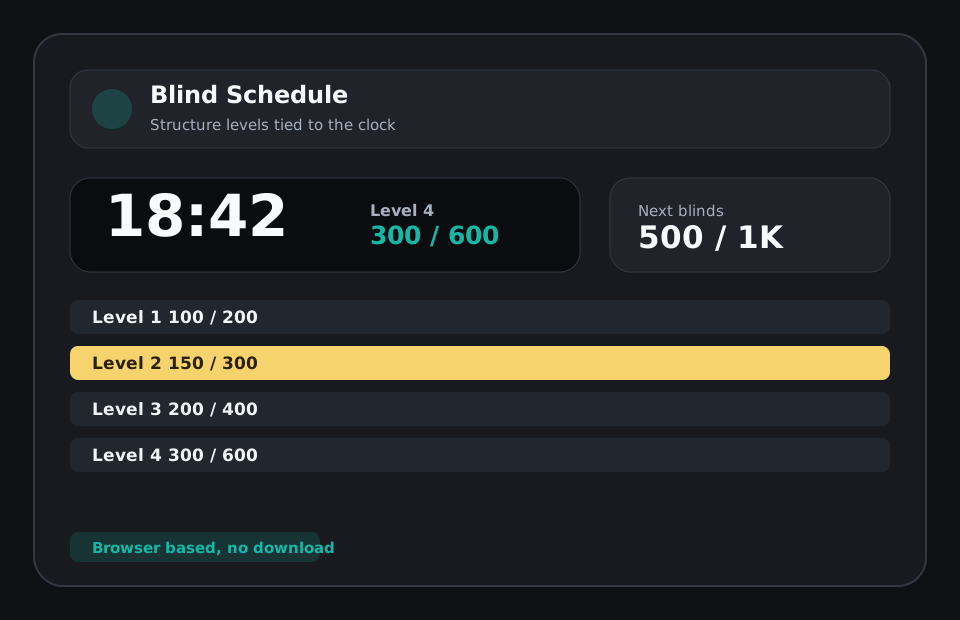
The blind schedule controls the pace
If blinds climb too slowly, the tournament drags. If they jump too quickly, players feel rushed and short-stacked before the game has developed. A good home poker blind schedule balances starting chips, level length, antes, breaks, and expected field size. PokerPlanner gives the host a practical place to manage that structure and then use it directly in the tournament clock.
Make current and next levels visible
Players do not only need the current blinds. They also want to know what is coming next. PokerPlanner highlights the active level and shows upcoming levels so the room can prepare for the next jump. That is especially helpful near breaks, after rebuys close, or when players are deciding whether to take a marginal spot.
Save structures for recurring groups
Many home games eventually find a structure that feels right. Once that happens, a host should not need to rebuild it every week. PokerPlanner supports saved group blind structures so recurring games can start from a proven schedule and adjust only when the format changes.
Use the blind schedule with the timer
A blind schedule is useful on paper, but it is better when tied to the actual countdown. PokerPlanner connects blind levels to the tournament timer and TV board, reducing manual announcements and keeping the room aligned. The host can focus on decisions instead of remembering which level comes next.
Related poker tournament tools and guides
FAQ
Is PokerPlanner free to use?
All features are free during the beta and a free model will always be available. Hosts can create groups, build tournaments, run the clock, use the TV board, track players, and use the core planning tools.
Can I use it for a casual home poker game?
Yes. The tool is designed for home poker tournaments first, with simple setup for buy-ins, blinds, breaks, seats, rebuys, add-ons, payouts, and player check-in.
Does the poker timer work on a TV?
Yes. PokerPlanner includes a TV-friendly tournament clock that can be opened on a shared screen so players can see the current level, next blinds, and timer.
Do players need to download an app?
No. PokerPlanner runs in the browser. Players can use links or QR codes to view lobby information, check in, and follow tournament status without installing anything.
What is a good blind level length for a home game?
Fifteen to twenty minutes is common for casual home tournaments, but shorter or longer levels can work depending on the player count and desired finish time.